Software you can buy today.
Pay once, own it, and get every future update free. Keys arrive by email within minutes of checkout.
Murmur
Hold a key, speak, and your words are typed wherever your cursor is. Speech recognition runs on your own computer, so nothing you say leaves it.
once for Pro, with lifetime free updates.
Free to use: everything for 3 days, then 10 minutes of dictation a day, free forever.
Windows 10 or 11 (fastest with an NVIDIA graphics card), or a Mac with Apple silicon (M1 or newer).
To: Harbour Street Bakery
Hi, the new menu page is live. Prices are updated and it works on phones. Have a look and tell me what to change.Hi, the new menu page is live. Prices are updated and it works on phones. Have a look and tell me what to change.
- Free: 10 minutes of dictation a day, into any app
- Pro: unlimited dictation
- Pro: AI clean-up that fixes grammar and filler words
- Pro: command mode, say what to do with selected text
DiskScout
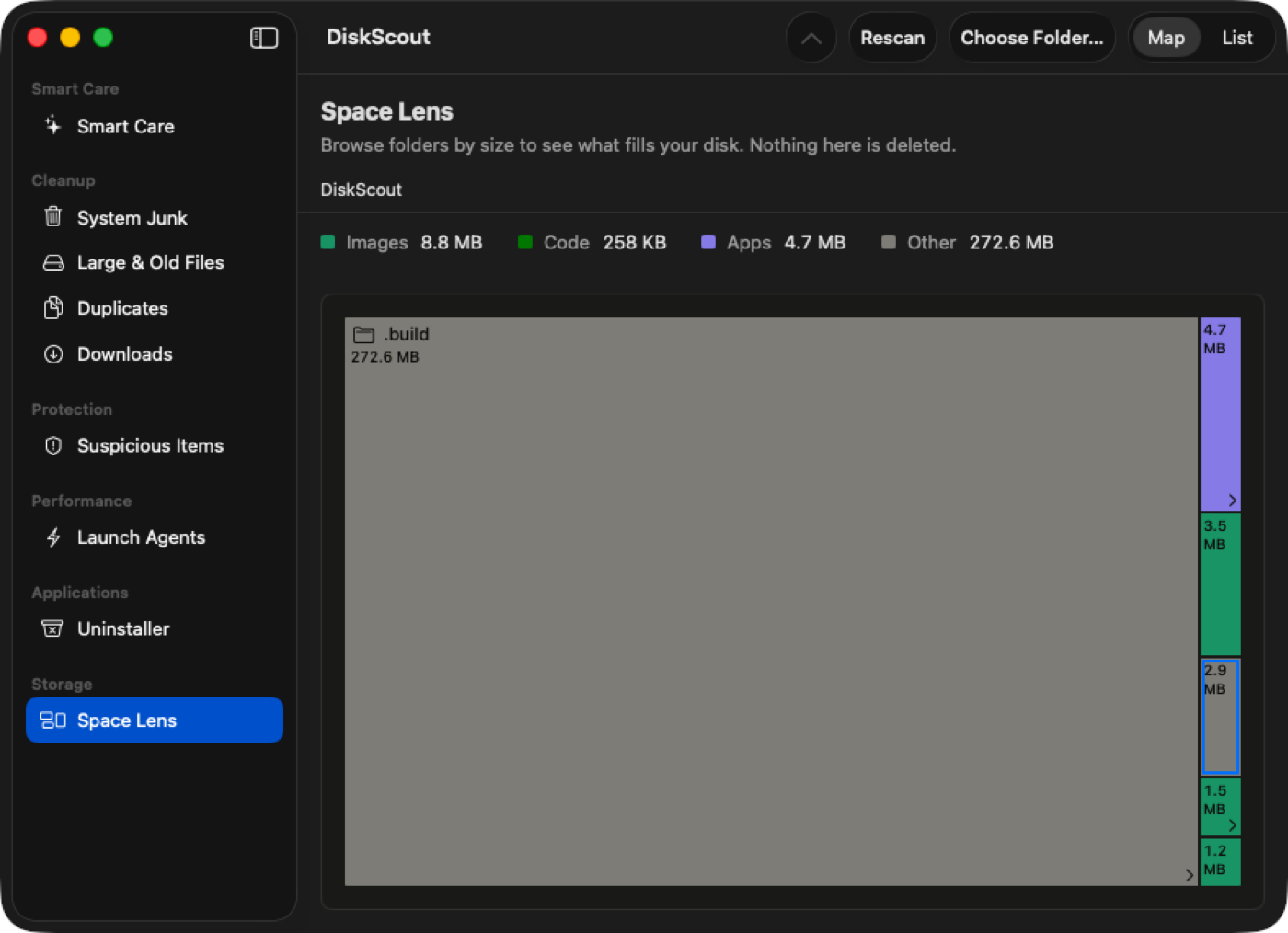
A Mac cleaner that shows where your space went, then moves what you pick to the Trash. Nothing is ever permanently deleted.
one-time, lifetime free updates. The free version scans everything and cleans 500 MB a day. Needs macOS 14 or later.
- System junk, large and old files, duplicates and Downloads
- App uninstaller that also finds leftover files
- Space Lens map of every folder, sized to scale
- Launch agent and suspicious-item checks (not antivirus)
Mouse & keyboard overlay
Shows your keystrokes and clicks on screen as you work, so anyone watching a tutorial, stream or recording can follow along.
once for Pro, with lifetime free updates. For Windows.
Free to use, with a small “Made with Pagecraft Overlay” tag on screen. Pro removes it.
- Keys and mouse buttons appear as you press them
- Built for screen recordings, lessons and live streams
- Free: a small Pagecraft tag in the corner
- Pro: no tag, lifetime free updates
RustDesk Auto-Accept
Reach your own PC when nobody is at the desk. It accepts incoming RustDesk sessions from the devices you allow, so no one has to click Accept.
once for Pro, with lifetime free updates. For Windows.
Free to use with 1 trusted device. Pro trusts any number of devices.
- Free: auto-accepts 1 trusted device
- Pro: any number of devices, or anyone
- Works with the free RustDesk app you already use
- Sits quietly in the tray